Step 1:
Create Your Free Cloora Account
Register for a free Cloora account and instantly receive your own digital binder.
No spreadsheets. No manual lists. No complicated setup.
Step 2:
Create Your Binder
You can create one or more binders to organize your collection.
IMPORTANT: Choose your binder type. You can’t mix cards of different trading card games into one binder. If the binder is for Magic The Gathering, then you can’t other other TCG to it like Riftbound or Pokemon.
Step 3:
Add Cards to Your Binder
Cloora provides multiple ways to add cards depending on the game you’re collecting.
Option A:
Search Cards Directly on Cloora
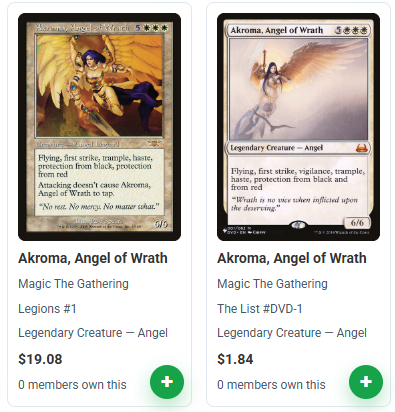
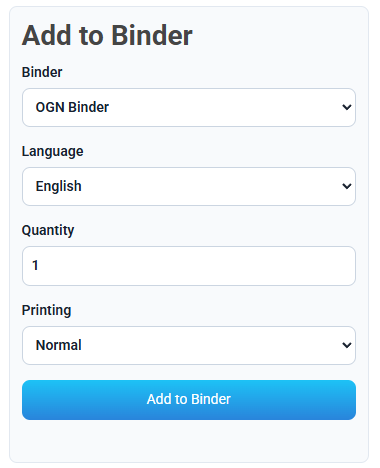
Using the card search box above, search for the card you would like to add. If you have Cloora account, just click the small green add icon on the lower right of the card to add it to your binder. You can set a DEFAULT binder on where to add cards. This feature makes adding cards faster for multiple binder owners.
Option B:
Import Your ManaBox Collection (Magic: The Gathering ONLY)
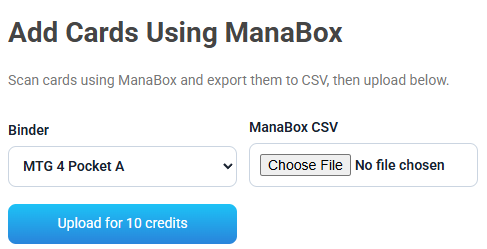
Already using ManaBox? No problem.
- Got to the menu My Cloora > Binder Manager
- Scroll down to Add Cards Using ManaBox then select your Cloora Binder.
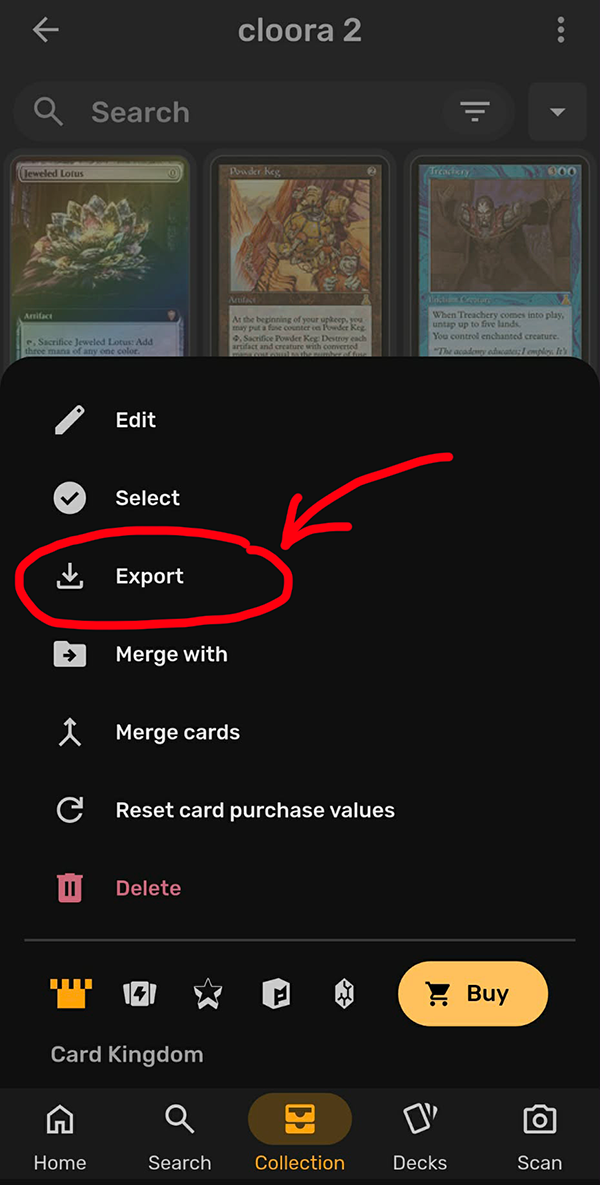
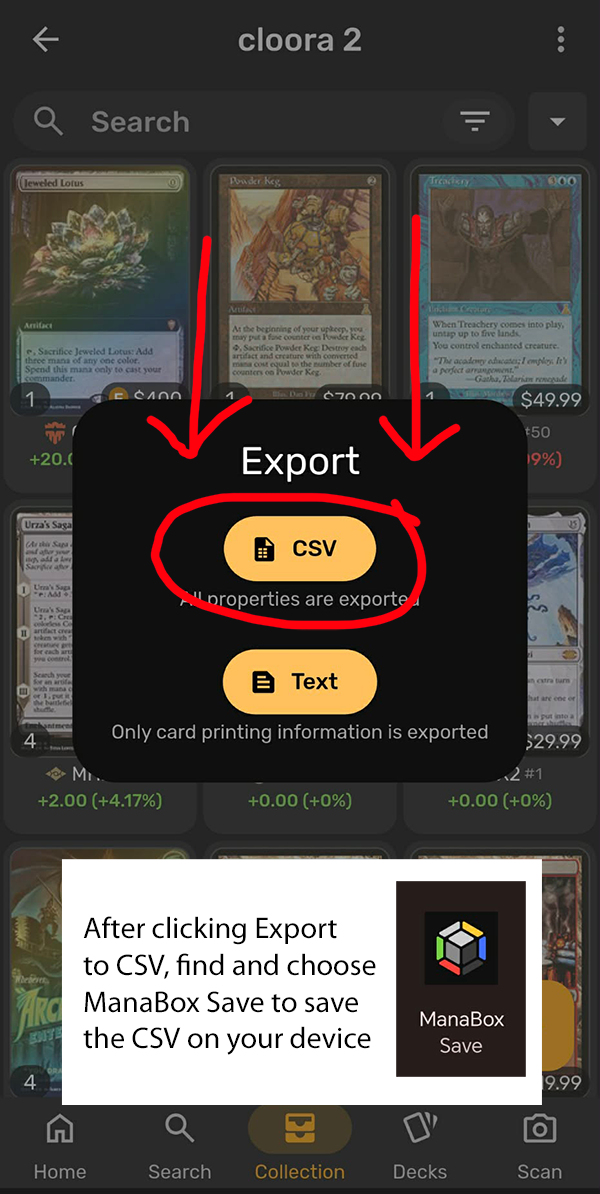
- Export your collection from ManaBox.
- Select Import from ManaBox.
- Upload your exported file.
Your collection will automatically populate into your Cloora binder. Quantities are updated when you upload cards with the same name and variables.
We recommend to use this function for all Magic The Gathering binder owners. It’s easier and a lot faster!
Option C:
Add Cards Using Card Number
For games such as Pokémon and Riftbound, you can quickly add cards using their card number.
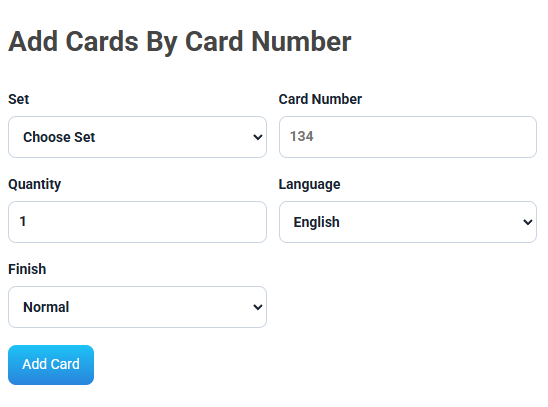
Steps:
- Got to the menu My Cloora > Binder Manager
- Scroll down to Add Cards By Card Number then select your Cloora Binder (For non-MYG binders only).
- Choose the card Set from the dropdown
- Enter the card number.
- Select the matching card from the results.
- Enter quantity.
- Click Add Card.
This is often faster than searching by name.
Step 5:
Organize Your Collection
Keep your collection neat and easy to browse. Create separate binders for:
- Trades
- Personal Collection
- Deck Cards
- Investment Cards
- Tournament Staples
A well-organized binder attracts more views and inquiries.
Step 6:
Share Your Binder
Every Cloora account receives a unique shareable binder link and QR code. Anyone with your link or QR code can browse your collection. We suggest to have a printed version of your QR code so it’s easy for anyone to scan your binders or use it as ticket verification for Cloora Events!
Special Feature:
Inqury Inbox
When someone is interested in your cards, they can contact you through Cloora. All conversations are managed within the platform, helping keep your trading activity organized.